Everything a real schedule needs.
A true PERT engine underneath. The tools your team uses every day on top.
Scheduling and critical path
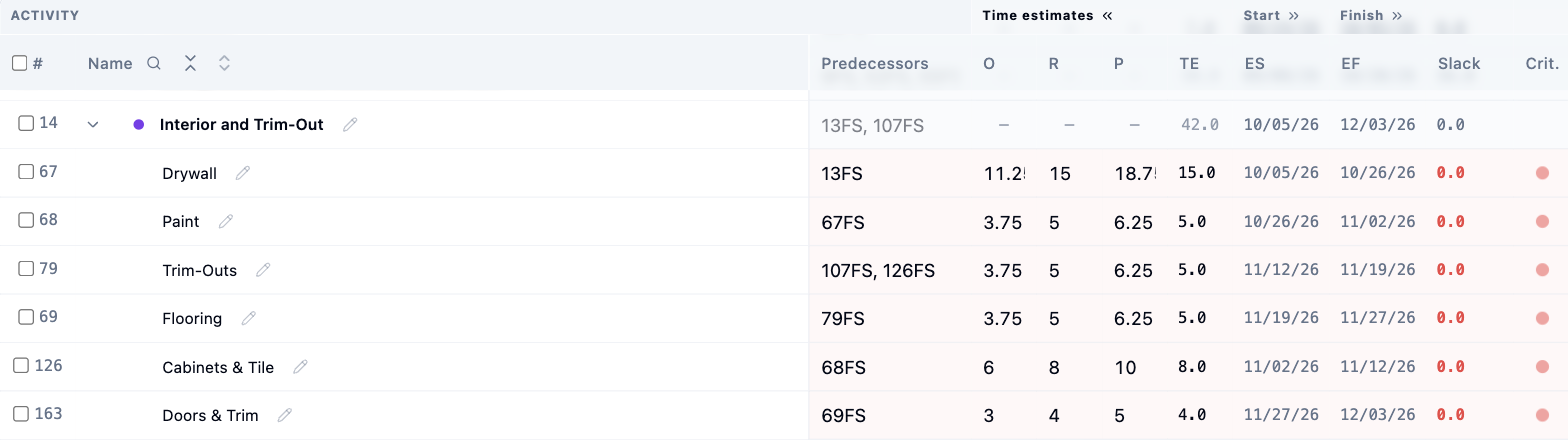
Three-point estimates, automatic critical path and a warning whenever an edit moves your finish date.
- All four link types with lead and lag
- Date constraints like Start No Earlier Than
- Working calendars with holiday presets and part-time days
- What-if scenarios in a sandbox
- Crashing and fast-tracking previews with added cost
Views
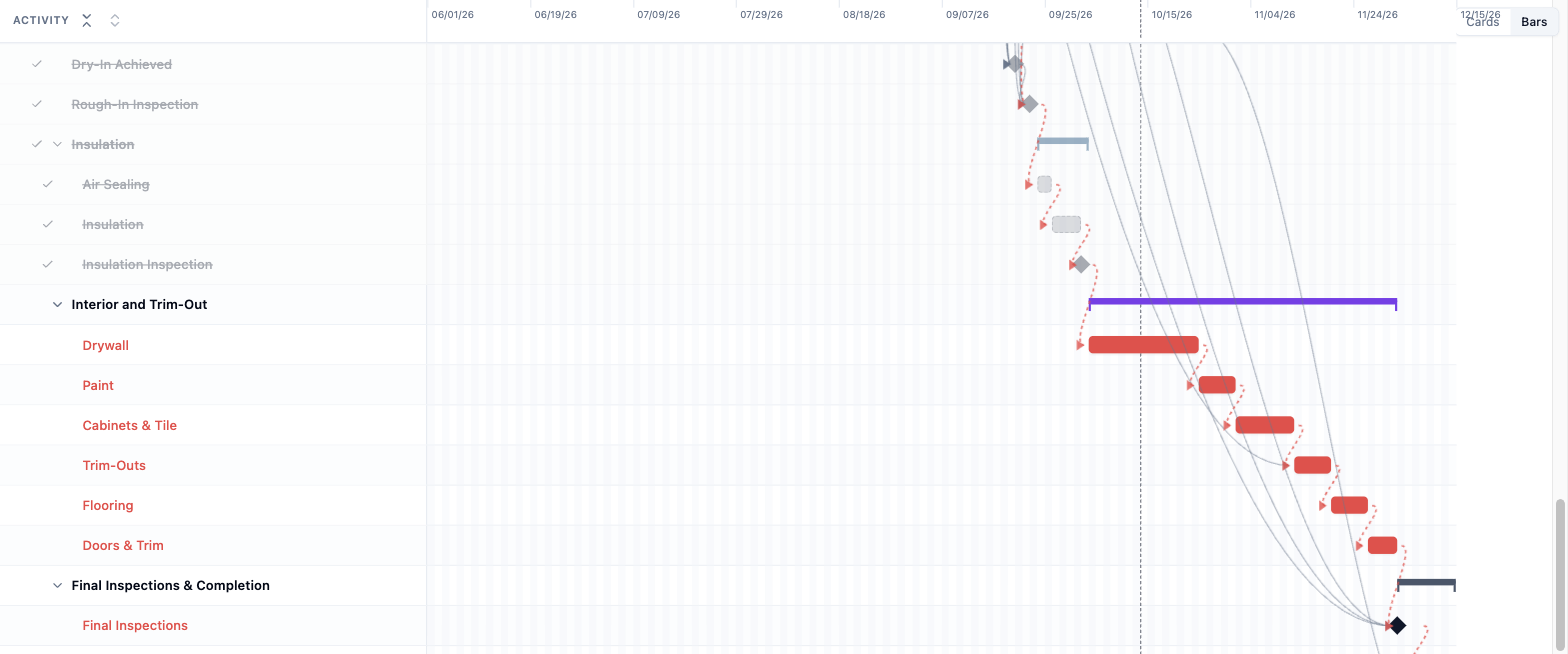
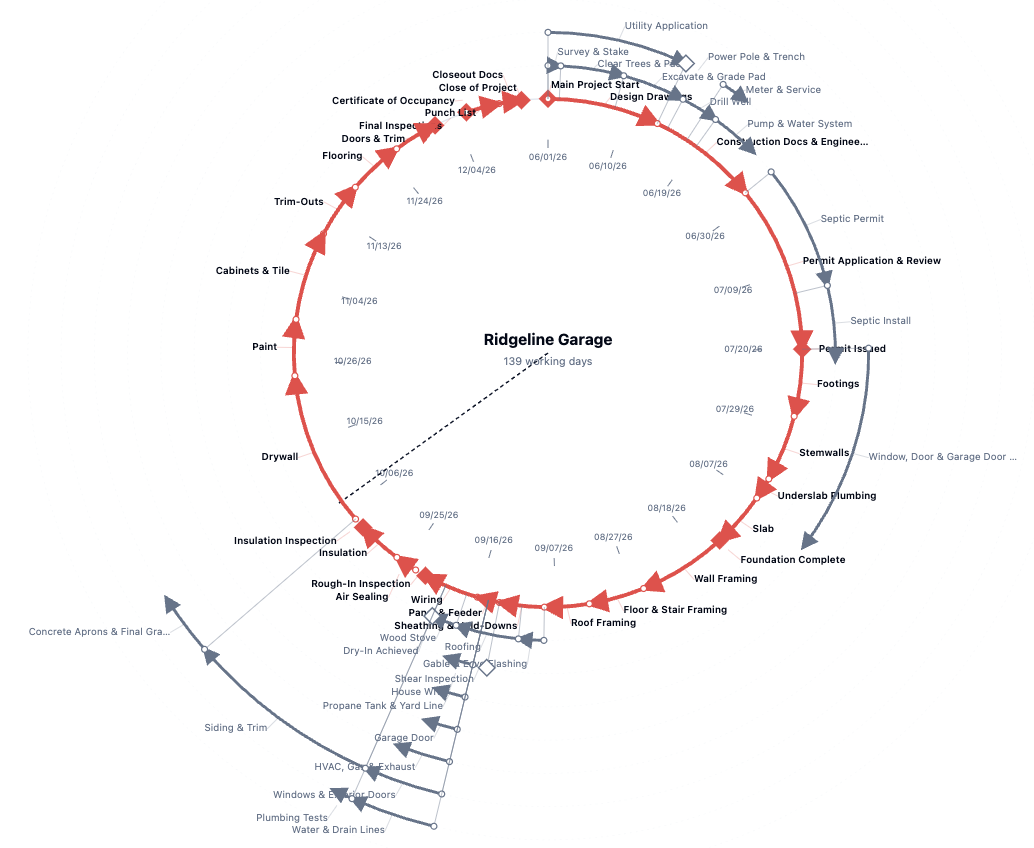
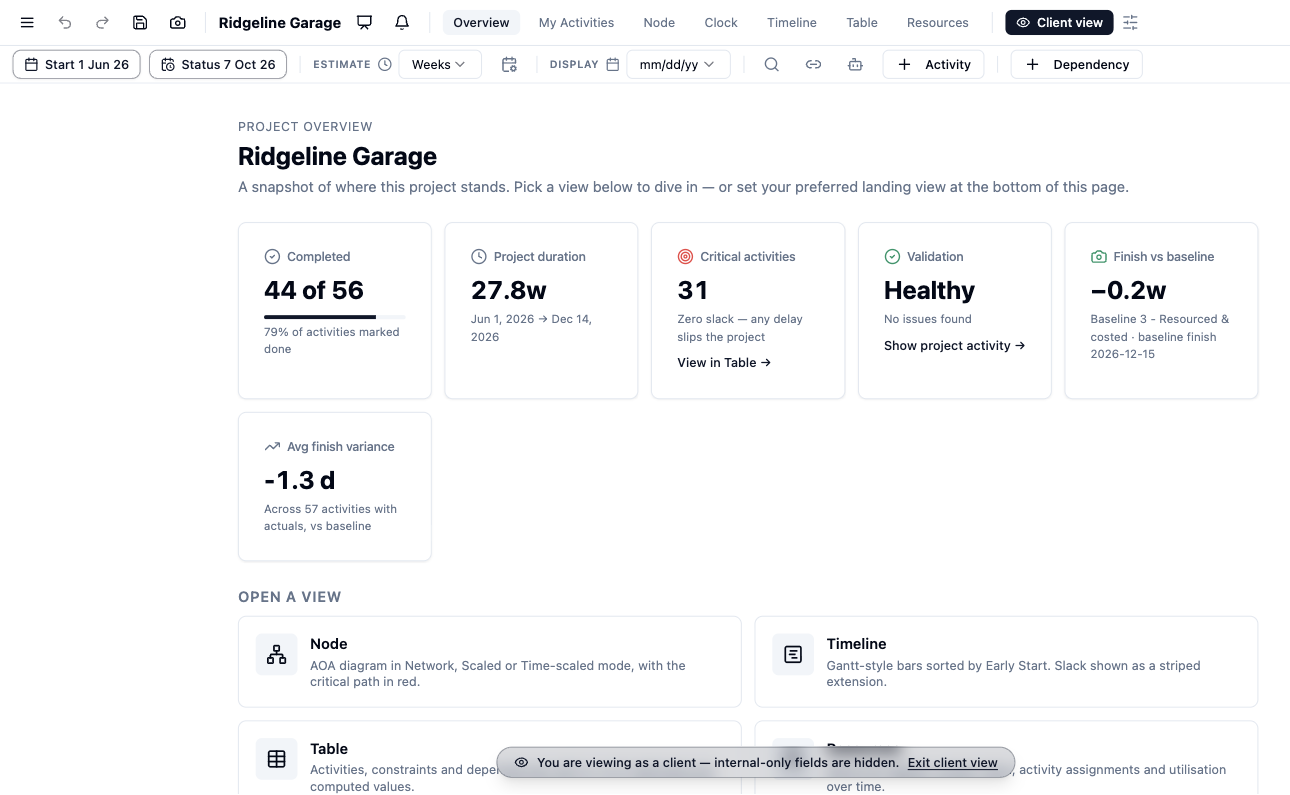
Node View, Timeline and Table, always in sync, plus an Overview of the numbers that matter.
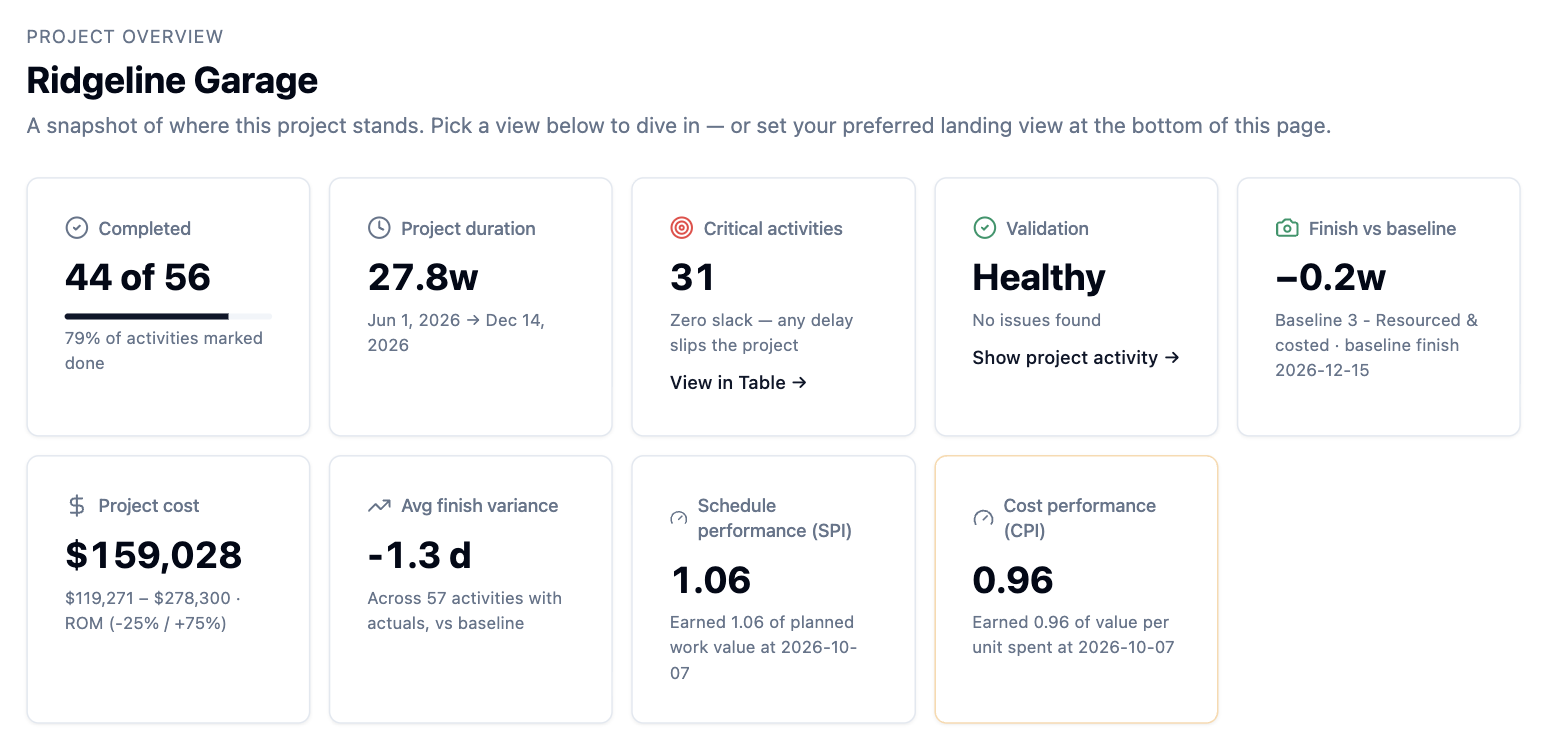
- Overview cards for duration, completion, SPI and CPI
- Find any activity with Ctrl or Cmd K
- My Activities for your own work
- Sharp, full-size diagram export
- A phone layout for reviewing plans and light edits
Organizing the plan
Structure your work without touching the math. Groups, categories and custom fields never change your dates.
- Multi-level work breakdown that rolls up dates, cost and progress
- Categories by workstream with color filters
- Custom fields for text, numbers, dates, dropdowns and yes/no
- Edit several activities at once
Progress, baselines and performance
Save the plan you agreed to, then see exactly how reality compares.
- Progress phases from Not Started to Complete
- One-tap start and finish with actual dates
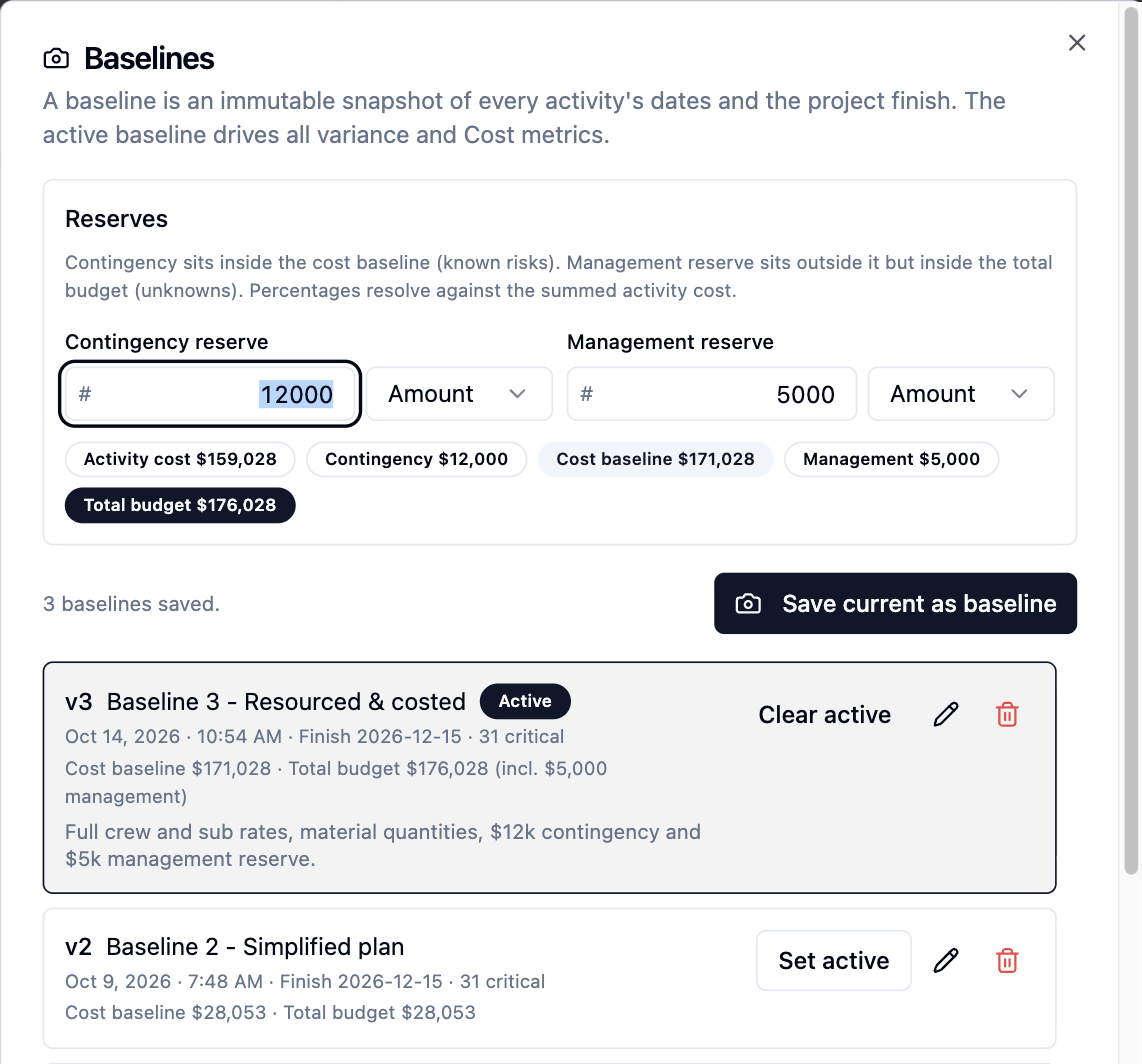
- Versioned baselines and a status date
- Plan versus actual on the Timeline
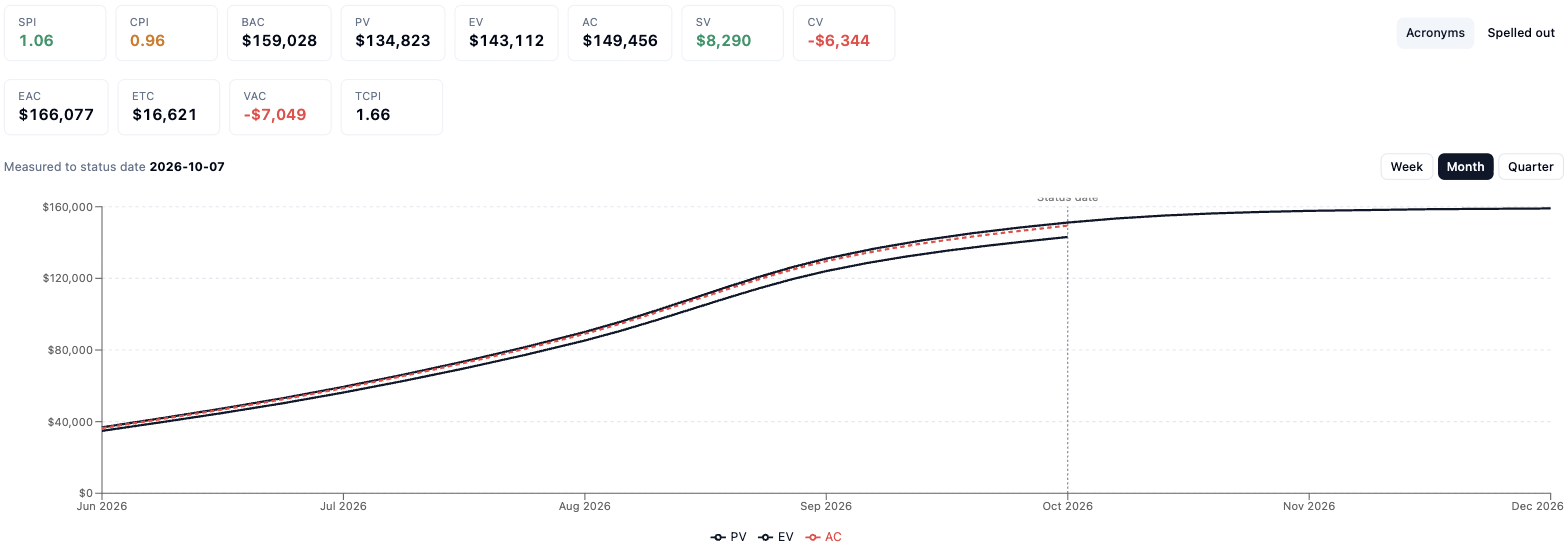
- Earned value with SPI, CPI and forecasts
Resources and RACI
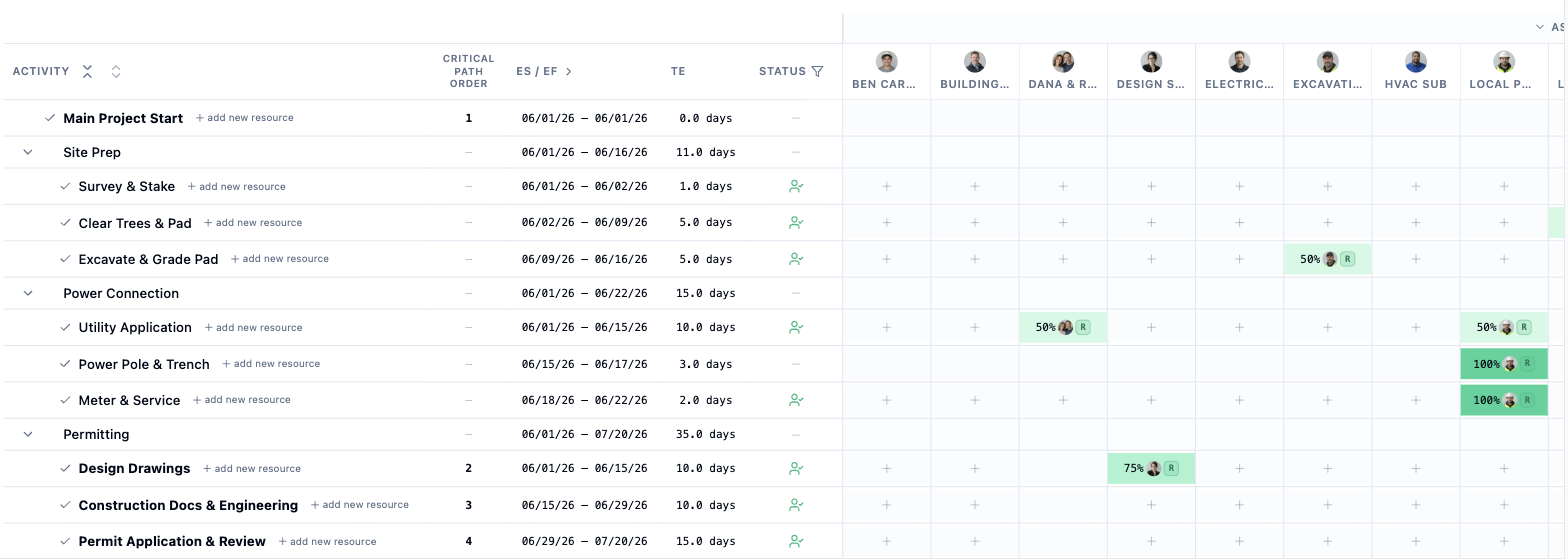
People, materials and cost items kept apart, so staffing warnings only count people.
- Organization-wide resource register
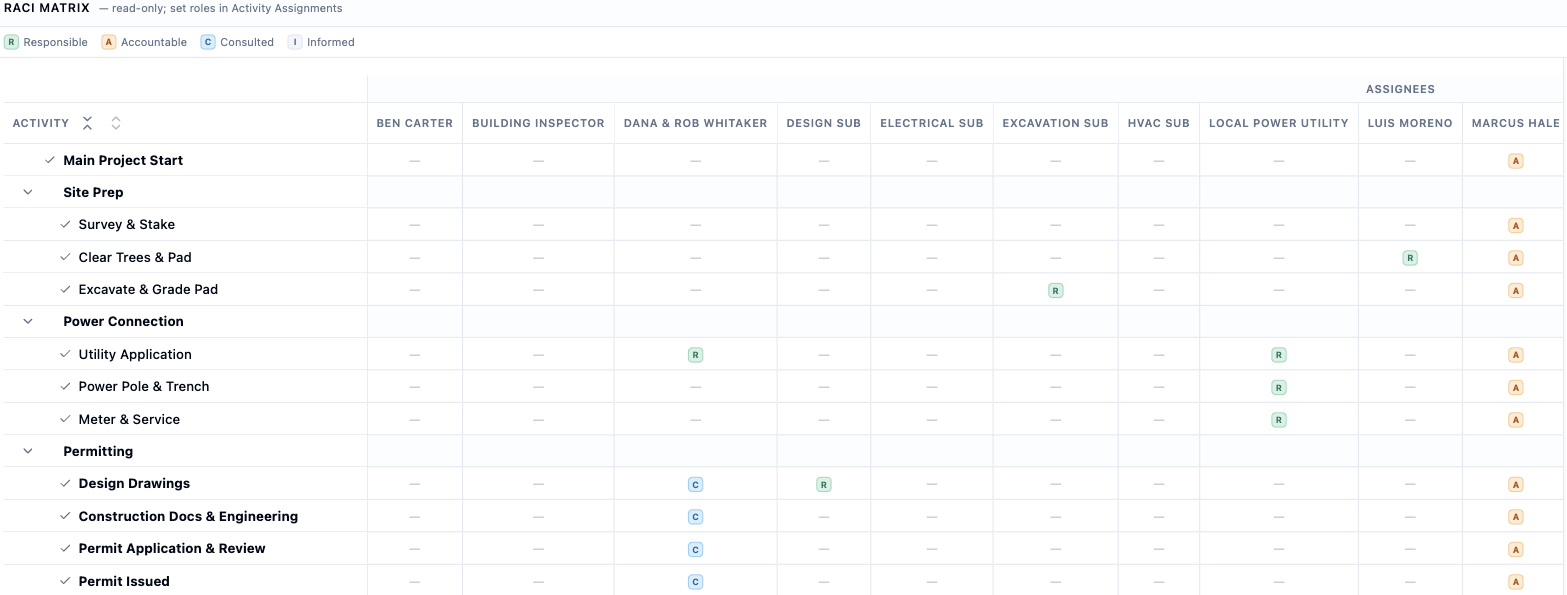
- RACI roles and matrix with missing-owner warnings
- Availability, leave and personal work hours
- Utilization by week, month or quarter
- Leveling and smoothing that never break a dependency
Cost and budget
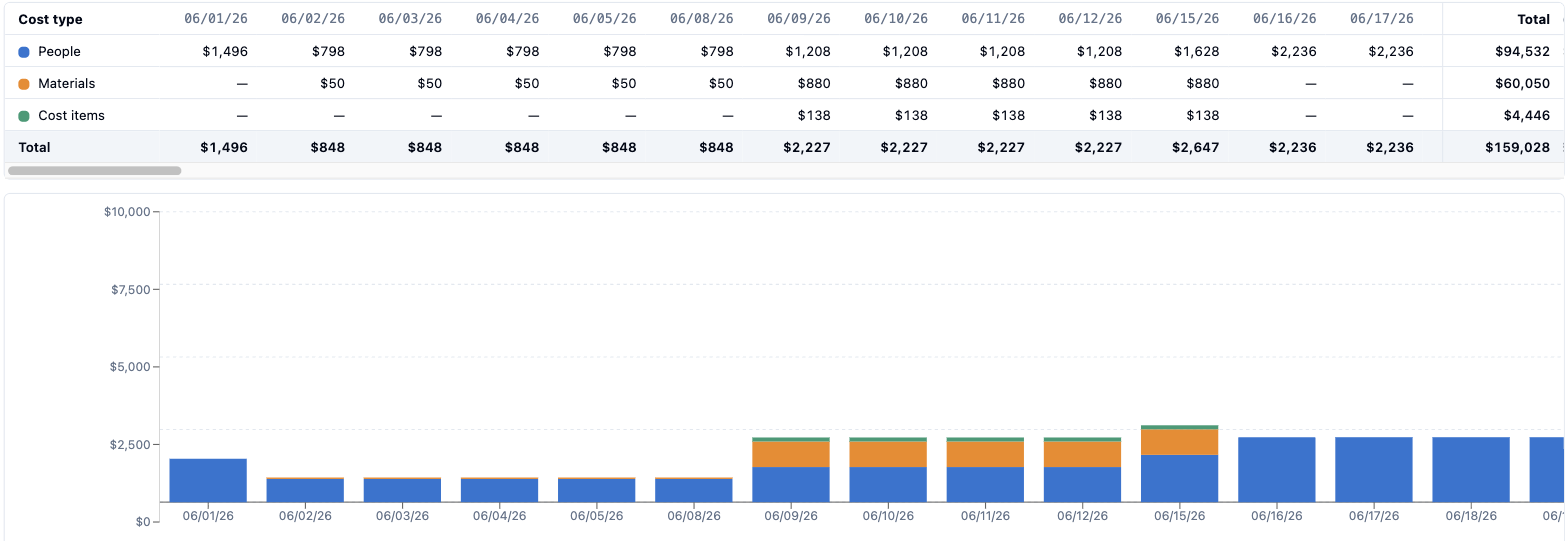
Rates, materials and fixed costs roll up into a budget. Cost never changes the schedule.
- Rates by hour, day, week, month or year
- Estimate accuracy bands from rough order to definitive
- Cost baseline with contingency and management reserves
- Time-phased project budget
Teams and access
Owner, Editor, Viewer and Contributor roles, with live updates when anyone makes a change.
- Per-project access overrides
- Bulk invites and shareable private links
- Live presence and updates in seconds
- Comments and replies on any activity
- A change log of who changed what
Client view
Show the plan to your client without showing your margins.
- One toggle hides rates, costs and capacity
- [Rates, margins and reserves stay internal. Wording pending legal review]
- See how many cost fields are being withheld
AI assistant integrations
Connect Pertify to the AI assistant you already use. Sign in and approve. No keys to paste.
- Ask about your schedule, critical path and plan health
- Let assistants add or update activities, with every change logged
- Copy your current view into any AI chat with one click
- [Cost and rate privacy statement pending legal review]
- [Supported assistant names pending trademark review]
Import and export
Bring your plan in from a spreadsheet and take it out whenever you like.
- Guided import from Excel or CSV, including MS Project exports
- Column mapping and row-by-row checks
- Round-trip workbook, CSV and schedule report exports
- Passwordless sign-in with an emailed code